
For the twelfth consecutive year, IDCnamedSalesforcethe number one CRM (customer relationship management) provider worldwide after evaluating more than 50 vendors across the globe. And Salesforce itself reported more than $21.6 billion in revenue last year, giving the company a lead more than four times bigger than its closest competitor,Microsoft. But what makesSalesforce so special, and how has it dominated the CRM landscape for more than a decade?
The short answer is adaptability. It provides companies with the flexibility to tailor the platform to meet real business needs, streamline operations, and scale without friction. It delivers a level of customization that few CRMs can match. However, unlocking its max potential requires a clear understanding of how Salesforce customization works, when custom solutions drive the most value, and which pitfalls can slow your progress. Keep reading to discover our hands-on insights your organization needs to leverage this platform at its highest performance.
Why Salesforce customization matters for business efficiency
A CRM is a system that keeps companies organized by centralizing customer data, sales workflows, support interactions, and internal communication. Its role becomes even more critical as teams grow and digital operations expand. Yet, most organizations still struggle with efficiency. A recent Salesforcereport revealed that66 percentof sales representatives feel overwhelmed by the number of tools they use and spend**72 percent of their time on non-selling tasks. Hence, it’s no surprise that94 percent **of sales organizations plan to streamline their tech stack in the coming years.
That leads to the following question: What isSalesforceused for? The platform goes far beyond basic CRM capabilities. It combines agentic AI, powerful data compilation, and an extensive suite of applications that adapt to a wide range of industries and workflows. Instead of forcing teams to adjust to rigid processes, Salesforce allows you to create your own CRM experience that matches how your business actually operates.
This is where Salesforce customization becomes essential. Every company has unique processes, approval structures, customer journeys, and data requirements. Customizing Salesforce ensures that these workflows reside within a single platform, rather than being spread across disconnected tools. With the right approach to custom CRM development, your teams can reduce manual work, automate repetitive tasks, and make critical information accessible in real time. The result is a faster, leaner, and more efficient operation that supports long-term growth and sustainability.
If you are wondering what companies use Salesforce, its customers include brands like Pandora, Formula 1, FedEx, Reddit, and many others. However, it’s important to note that strong digital transformation solutions are just as crucial for small and mid-sized businesses as they are for global enterprises.
Configuration vs. Customization
To maximize the benefits of the best CRM, companies like yours must understand the two primary paths for tailoring the platform to their specific needs.
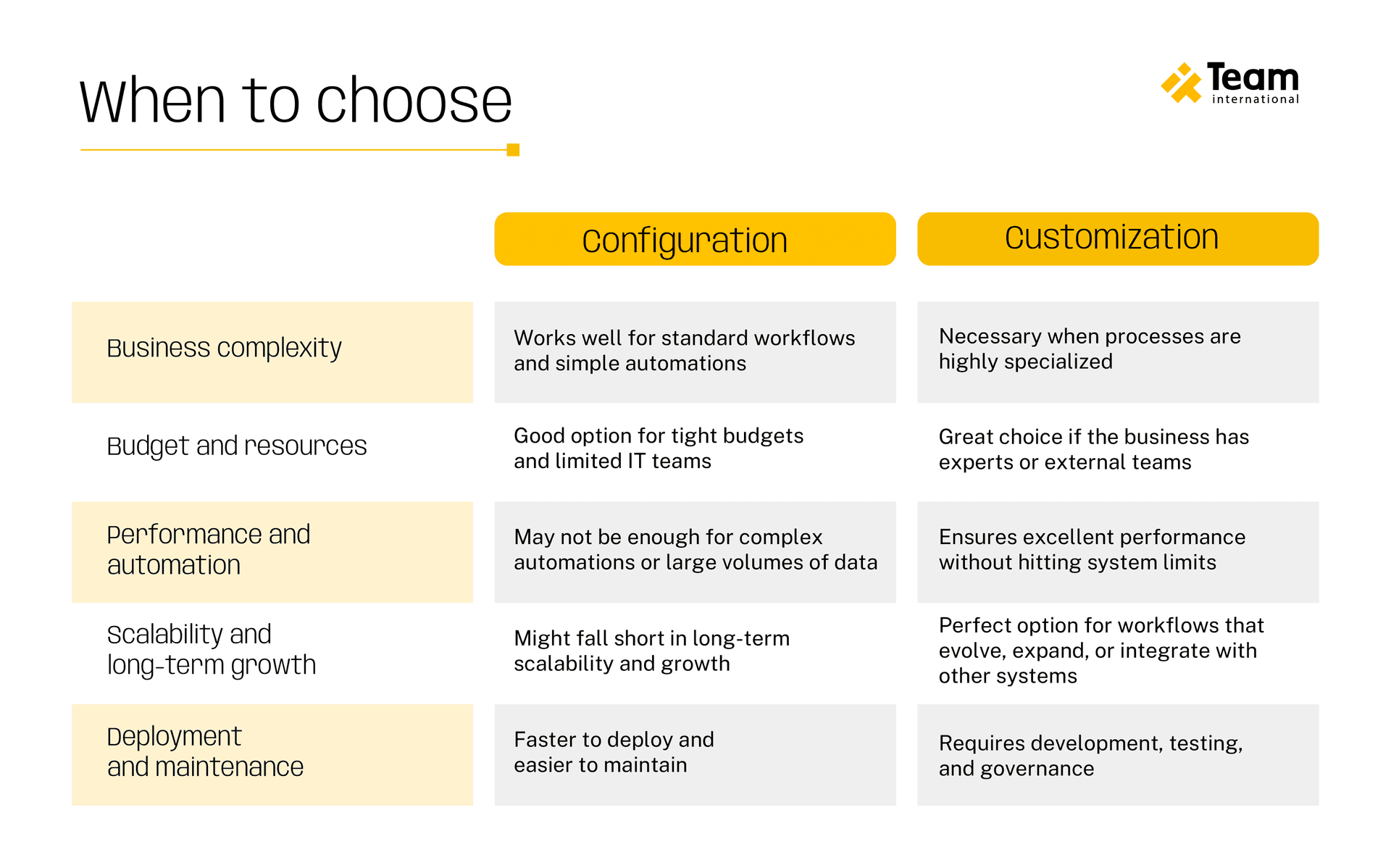
Salesforce configuration includes adjustments that require no code, such as page layouts, validation rules, permissions, or simple automation. These changes offer quick wins and help teams adapt the system to meet their daily needs without requiring additional development work.
On the other hand, customization goes deeper. It involves building tailored functionality through Apex code, Lightning Web Components, advanced integrations, and complex automation. This level of flexibility is what turns Salesforce into a customizable CRM capable of supporting unique business models, multi-system environments, and operations that outgrow standard solutions.
Both approaches are promising, but knowing when to configure and when to customize is crucial for driving efficiency.
Top pitfalls to avoid in custom Salesforce development
Custom development empowers companies to create tailored workflows, automate complex processes, and design a system that aligns with their business model. However, the same flexibility can become a challenge when teams approach customization without the right strategy. Understanding these potential risks not only protects your investment but also helps maximize the most important Salesforceuses, from sales operations to customer service.
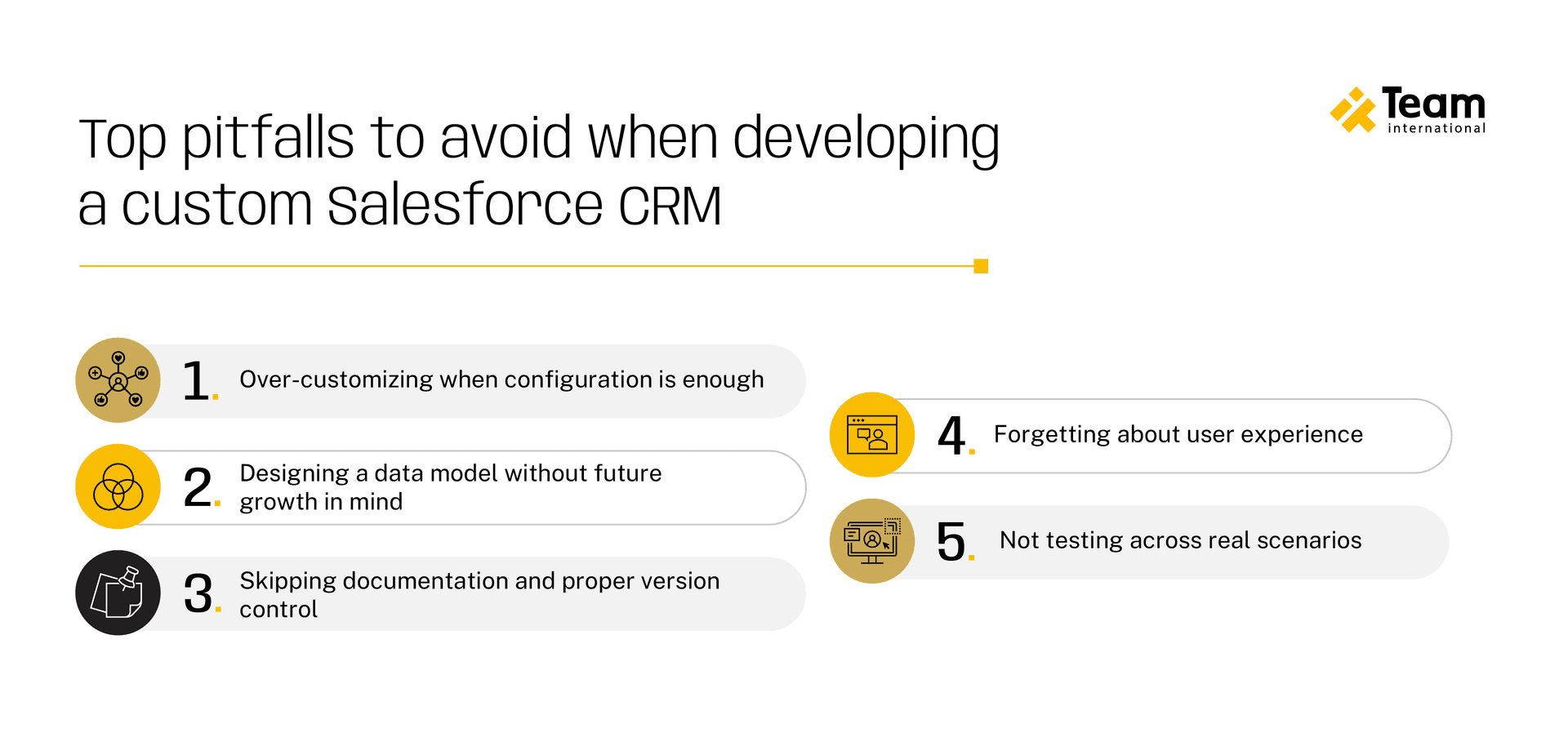
1. Over-customizing when configuration is enough
Many companies jump straight into coding even when a simple configuration could solve the problem. This creates unnecessary complexity, drives up maintenance costs, and limits flexibility.
2. Designing a data model without future growth in mind
A strong data architecture is the foundation of an efficient Salesforce environment. Poorly defined relationships, excessive custom fields, or duplicated objects make reporting difficult and slow down automation. Every customization should consider long-term scalability, not just immediate needs.
3. Skipping documentation and proper version control
Teams lose visibility into how automations work, why decisions were made, and what may break if changes are introduced. Documentation is not optional if you want to save costs and future headaches.
4. Forgetting about user experience
Salesforce offers powerful UI customization through Lightning components. However, many companies overlook the importance of user-centered design when building their own CRM interface.
5. Not testing across real scenarios
Conducting QA and testing only in ideal conditions often leads to failures once the solution hits production. You should validate every customization in a sandbox with different user profiles, data volumes, and edge cases to avoid costly reversions later.
How to build a custom CRM with Salesforce
Building a custom CRM begins with understanding how your business operates today and how you envision it operating in the future. The platform offers the flexibility, scalability, and ecosystem of tools needed to support effective custom Salesforce development, enabling the design of solutions that align with real workflows.
Step 1: Evaluate your business processes
Identify where work slows down, where data is fragmented, and which tasks consume unnecessary time. This provides the roadmap for your customization guide, ensuring that every change supports a clear operational goal.
Step 2: Define your data model
A solid information structure determines how records interact, how teams access information, and how efficiently automation can run. At this stage, companies typically decide what can be configured using Salesforce’s native tools and what requires more in-depth development work.
Step 3: Automation
Salesforce Flow, approval processes, and dynamic forms handle straightforward needs, while Apex code and Lightning Web Components cover more complex logic or unique user experiences. Each layer of customization should strengthen productivity, simplify navigation, and reduce manual work.
Step 4: Testing and iteration
A custom CRM is never “finished” on day one. It evolves through feedback, performance monitoring, and continuous improvement. When companies take this iterative approach, it becomes a scalable operating platform that supports every stage of business growth.
Choosing the right Salesforce customization services for your needs
Selecting the right partner to support your Salesforce roadmap is just as important as choosing the right customization approach. As organizations grow, their workflows, data architecture, and integration needs evolve, which is why many companies rely on Salesforce customization services to ensure their platform is scalable, secure, and aligned with long-term business goals.
The ideal team goes beyond technical implementation – they should:
- Understand your industry and company goals
- Listen to your operational challenges
- Design solutions that enhance your productivity and user experience
A strong Salesforceteam helps you identify when configuration is enough, when custom development brings higher ROI, and how each decision shapes the future of your ecosystem. The proper guidance makes it easier to build custom CRM capabilities that support efficiency, agility, and long-term growth.
This is where TEAM’s Salesforce Studio adds real value. Our service brings together certified specialists, strategic architects, and developers who build solutions tailored to your processes. Whether you need to optimize your current environment or implement end-to-end custom CRM development, our team ensures your platform supports scalability, smarter decision-making, and evolves alongside your business.
Ready to take your ecosystem to the next level? Whether you’re implementing Salesforce for the first time or improving your existing CRM, our specialists have your back. Contact us today, and let our team handle the heavy lifting so your company can focus on what matters most.